Guide
Building an AI Traffic Report for Monthly Store Reviews
A monthly AI traffic report helps Shopify merchants pinpoint AI-driven visits, track conversions, and prove the ROI of answer engine optimization (AEO) efforts.
Why Monthly AI Traffic Reports Matter
Shopify merchants are swimming in data, but when it comes to understanding how AI-powered answer engines (AEO) are driving store visits and orders, most analytics tools still fall short. If you're optimizing your store for AI sources—think search engine answer boxes, voice assistants, or even chatbot referrals—tracking that traffic and quantifying its impact each month is the key to defending your budget, refining your strategy, and keeping stakeholders in the loop. A dedicated AI traffic report, run monthly, can be a game-changer for clarity and confidence.
But traditional attribution models, like last-click, often undercount the true influence of AI-generated referrals. The path from an AI answer to a purchased product is rarely linear—and your basic analytics dashboard may miss valuable customer journeys entirely. That's why designing a focused reporting system for AI traffic is no longer optional; it's essential for modern Shopify growth.
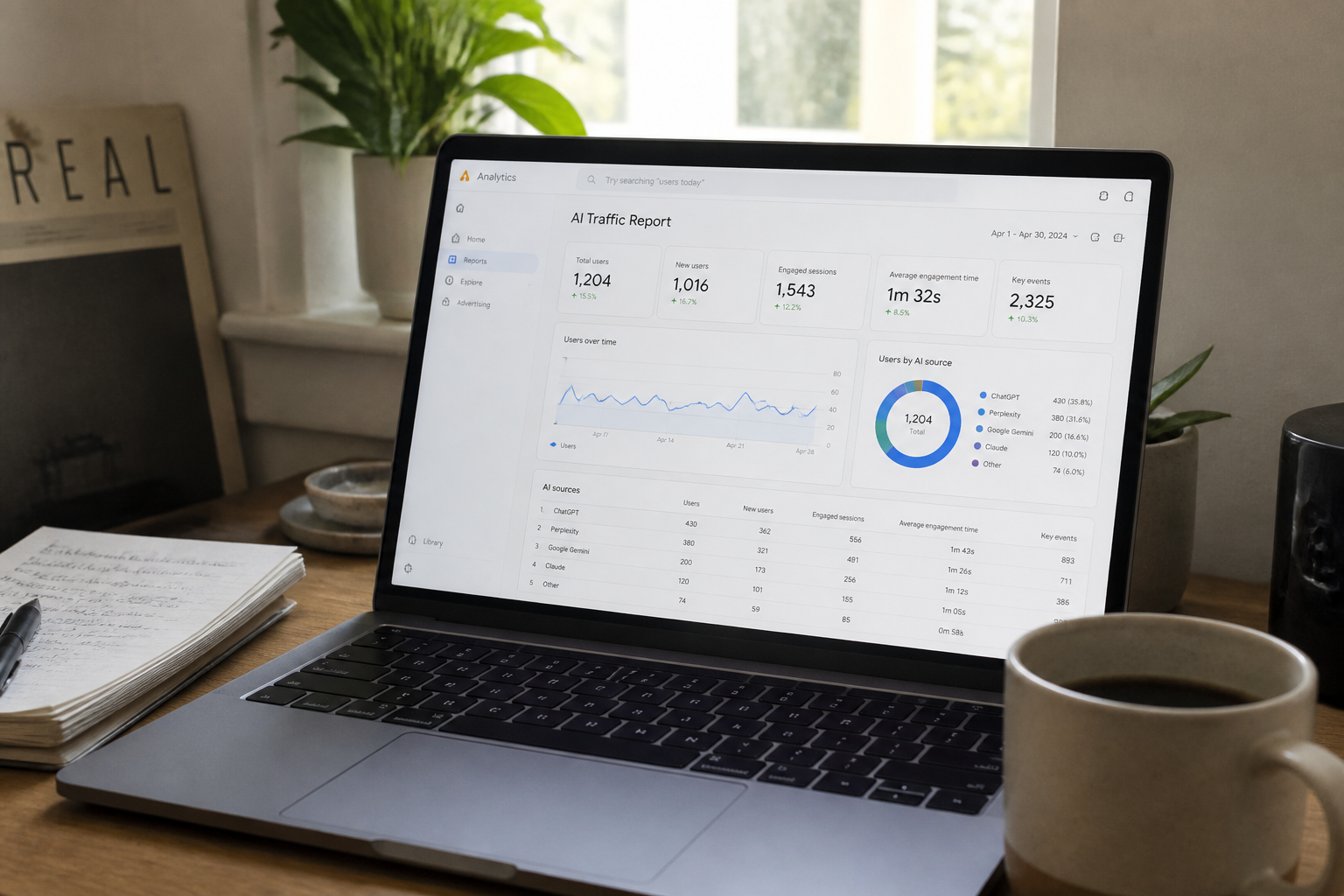
What Should an AI Traffic Report Track?
AI traffic isn't just from search engines anymore. With the rise of conversational search (think Google's SGE, Bing AI, Perplexity, and others), plus smart chatbots referencing your product URLs, "AI referral" encompasses any visit to your store prompted by an AI-generated answer or recommendation. To make your reporting actionable, focus on these concrete data elements each month:
- Traffic by Source: Volume of visits from major AI platforms (Google SGE, Bing Copilot, etc.), flagged via custom UTM tags, referrer strings, or indirect signals.
- Top Landing Pages: Which products or guides show up most in AI answers and attract traffic?
- Conversions & Revenue: Orders, average order value, and revenue directly attributed to AI-sourced sessions.
- Behavioral Metrics: Bounce rate and time-on-site for AI-driven visits versus other channels.
- AI Referral Trends: Month-over-month changes: Is your AI-driven traffic growing, and is the quality improving?
If you’re not sure where to begin flagging these sessions, start with the insights from our AI-Referral Attribution hub, which covers practical tracking techniques, from custom UTM parameters to leveraging Shopify's built-in analytics with third-party enhancements.
Metrics That Matter: Moving Beyond Last-Click Attribution
Traditional attribution models can miss the mark when it comes to AI-driven discovery. For example, a customer’s journey might begin with an answer engine summarizing your product benefits. But if they return days later via a bookmarked link, or after comparison shopping, standard last-click attribution fails to credit the AI for its role in shaping that decision.
To get a more accurate view, you’ll need multi-touch attribution models, or at minimum, annotated reports that call out those "messy middle" conversions. For a deeper dive on why this is critical, read Why Last-Click Attribution Undercounts AI Influence. Incorporate annotated customer journeys—sampling anonymized user paths that illustrate how AI-generated store discovery leads to sales—to put concrete numbers behind that influence in your monthly reports.
How to Build Your AI Traffic Report
With requirements in hand, let’s lay out the process for a monthly AI traffic report:
- Identify Your Tracking Markers: Use custom
utm_mediumvalues, referrer domains, and clues from URL parameters or session sources specific to AEO platforms. - Pull Core Metrics: In Shopify analytics, segment visits by those markers; record sessions, top landing pages, bounce rates, and tracked sales/conversions.
- Annotate the Data: Highlight which results correspond with specific AI answer engine placements, and which product or guide content most commonly wins spots in AI summaries.
- Compare Month-Over-Month: Chart trends, spotlight content improvements, and flag any sudden dips (which could mean algorithm changes or content issues).
- Layer in Contextual Insights: Add qualitative feedback from customer surveys or support chats referencing AI discovery, to enrich your numbers with real stories.
If you’re struggling to measure impact for internal review, linking your AI traffic report with real order-level data can go a long way. For guidance, check out Proving AEO ROI to Stakeholders With Real Order Data, and consider visualizing AI-attributed conversions in a simple dashboard shared monthly with key team members.
What About Tracking Quality, Not Just Quantity?
Volume is important, but the quality of AI-driven visits is what truly matters. Pay attention to:
- Higher average order values or conversion rates for visitors flagged as coming from AI sources.
- Repeat purchase behavior among users discovered via AI referral.
- Which content updates directly correlate with surges in AI-attributed traffic and sales.
These patterns help make the case for ongoing content investment and optimization—especially if you’re reporting results upwards or pushing for more AEO resources.
Getting Stakeholder Buy-in: Presenting Your AI Traffic Report
Tailor your monthly summary to your audience. For senior leadership, focus on high-level impact: the share of total store revenue now traceable to AI referrals, month-over-month growth, and competitive benchmarks. For your web or product team, dig into which pages are earning and converting AI traffic, and call out actionable next steps—like updating schema, revamping underperforming guides, or using the Free AEO Score Checker to spot fresh optimization opportunities.
Finally, close each report with quick wins: highlight the highest-converting AI answer, the best-performing product for AI referrals, and one action your team can take this month to push those numbers even higher. This keeps the report relevant, forward-looking, and a tool for real growth—not just a data dump.
Frequently asked questions
What is an AI traffic report, and why do I need one for my Shopify store?
An AI traffic report tracks visitors and sales generated from answer engines and AI-powered search sources. It helps you quantify and showcase the value of your AEO efforts, refine your strategy, and make data-backed decisions for growth.
How can I identify traffic coming from AI answer engines?
You can spot AI-driven traffic in Shopify analytics by using unique UTM parameters, tracking specific referrers (like sge.google.com or Bing Copilot), and monitoring landing pages with increased sessions after appearing in AI answers.
Why isn’t last-click attribution enough to track AI influence?
Last-click attribution often overlooks the initial discovery via AI because shoppers may return later through other channels. Multi-touch or annotated attribution gives a fuller picture of how AI shapes customer journeys. See our article on why <a href="/blog/why-last-click-attribution-undercounts-ai-influence" class="text-brand-600 underline hover:text-brand-700">last-click attribution undercounts AI influence</a>.
What should I include in my monthly AI traffic report?
Your report should include AI-driven visit counts, top landing pages, conversion metrics, revenue from AI sources, behavioral stats (bounce rate, time on site), and month-over-month trends, along with qualitative feedback if available.
How can I show the ROI of investing in AEO and AI-referral optimization?
Link AI-attributed sessions with order data to calculate real sales impact, growth trends, and improved conversion rates. Presenting these alongside contextual insights can drive stakeholder buy-in. For more tips, check our guide on <a href="/blog/proving-aeo-roi-to-stakeholders-with-real-order-data" class="text-brand-600 underline hover:text-brand-700">proving AEO ROI to stakeholders</a>.
Related reading
Check your own store's AEO score
No login, no email, just a score and what to fix first.