Guide
Setting Up a Web Pixel to Capture AI Referral Traffic
Capturing AI referral traffic with a Shopify web pixel reveals exactly how AI engines like ChatGPT and Perplexity drive sales. Here's how to set up accurate AI attribution tracking.
Why Tracking AI Referral Traffic Matters in 2024
AI answer engines like ChatGPT, Google SGE, Perplexity, and others are rapidly changing the way consumers discover and shop for products online. Instead of clicking links in traditional search results, more shoppers are being sent directly to Shopify stores through AI-driven recommendations, summaries, or direct links shared within chat interfaces. But if your analytics setup can’t distinguish these “AI-referred” visitors from typical organic or direct traffic, you’re missing a crucial opportunity to measure, optimize, and capitalize on this new customer acquisition channel.
That’s where a well-configured web pixel comes in. By setting up a pixel that specifically captures AI referral traffic, Shopify merchants can see (often for the first time) how many visitors, checkouts, and sales are originating from AI engines. This is the cornerstone of effective AI-referral attribution, and as AI agents become mainstream, it’s quickly evolving from a nice-to-have to essential infrastructure.
But what does it actually take to capture AI referrals accurately, and how can a Shopify store owner implement this step without devoting weeks to analytics engineering? Let’s break it down.
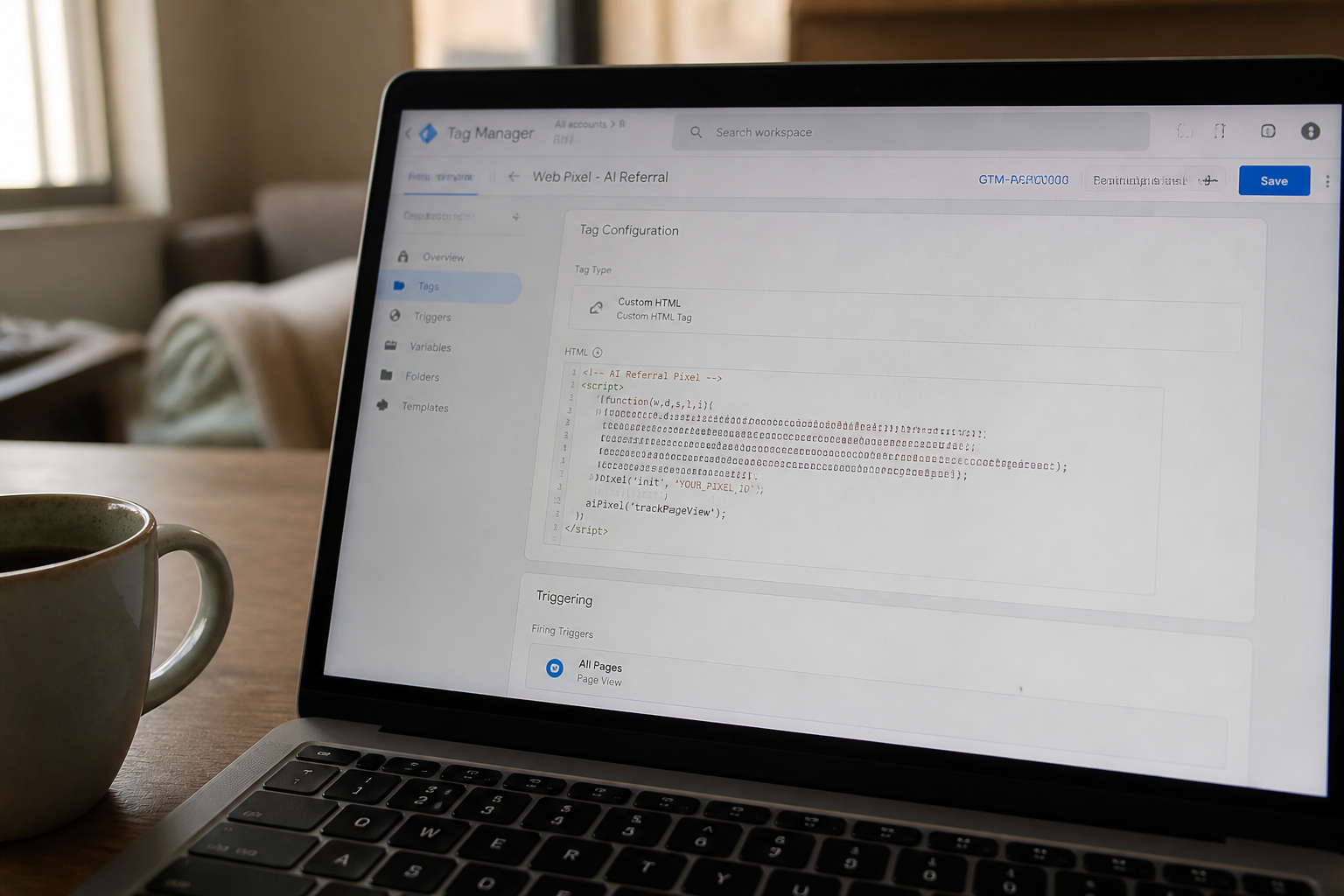
How Web Pixels Identify AI Referrals
At its core, a web pixel (or tag) is a snippet of JavaScript loaded on your store that observes visits, events like page views or purchases, and contextual metadata such as active UTM parameters, referring URLs, and sometimes device details or session behaviors. To capture AI referral traffic, the pixel needs to detect when a visit originates from an AI engine, and flag or label those sessions.
There are several signals your pixel can detect, such as:
- Certain
utm_sourceparameters likechatgptorperplexity - Referral domains such as
chat.openai.comorperplexity.ai - Unique browser headers (rare for now, but likely in the future as AI agents standardize identification)
- Patterns in session or click paths that match AI agent behavior
The easiest and most reliable tracking right now focuses on UTM parameters and referring URLs. For example, if you notice purchases arriving with utm_source=chatgpt, you can confidently attribute those sessions to ChatGPT referrals.
Step-by-Step: Setting Up a Pixel to Track AI Traffic
Shopify’s web pixel system (introduced in 2022) makes it possible to run custom JavaScript logic on key storefront events without code changes to your theme. Here’s how to approach pixel setup for AI attribution:
- In your Shopify admin, go to
Settings → Customer events. - Add a custom pixel app or use a trusted analytics partner, such as OtoRank, that natively supports AI referral tracking.
- Configure your pixel to listen for new sessions, capturing
document.referrerand URL query parameters. - Define rules: For instance, if
utm_sourcematches AI engines or if the referral hostname is one of the AI tools you care about, label the session as “AI referred”. - Record this label using Shopify’s metafields (for user or order data), send it to your analytics provider, or log it in your dashboard for easy reporting.
If you’re not comfortable with code, a solution like OtoRank automates these steps, saving hours and eliminating the risk of missing subtle referral patterns. Most importantly, once this is in place, you can finally see your first AI-referred order and know what it means.
What Should Merchants Do With AI Referral Data?
Tracking AI referrals isn’t just about filling an analytics report—it’s the foundation of actionable growth strategies. Here’s what you can do once your pixel is in place and data is flowing:
- Monitor which AI agents are sending the most valuable traffic (not just sessions, but orders and repeat purchases).
- Optimize your store’s product data, content, and metafields for the agents that matter—a process covered in our metafields guide.
- Attribute new customer acquisition more accurately, enabling more precise ROI calculations for content and AI optimization work.
- Uncover trends that indicate how shoppers interact with your brand post-AI referral, informing merchandizing and CRO decisions.
Best of all, being able to point to real numbers gives you a competitive edge when justifying investments in AI-readiness, whether to your team, partners, or budget committee.
Avoiding Common Pitfalls in AI Referral Pixel Tracking
While capturing AI referrals isn’t complicated for a technically sound store, a few mistakes can lead to gaps or false signals:
- Only tracking last-click attribution—be careful if users bounce between AI engines and aggregators.
- Neglecting mobile versus desktop referrers—AI browser plugins and mobile assistants can identify differently.
- Assuming new engines will always use the same
utm_sourceor referrer hosts; update your pixel logic as the ecosystem evolves. - Missing first-party data storage by not using metafields for session or order annotation.
Periodic audits and leveraging a purpose-built tool are the best ways to stay current, as AI engines regularly refine their linking and attribution mechanisms.
The Bottom Line: AI Attribution Starts With Solid Pixel Setup
Setting up a web pixel for AI referral capture isn’t just tech for tech’s sake—it’s how leading Shopify brands will understand, react to, and ultimately harness the new wave of AI-driven shoppers. By tackling this early, you’ll have a first-mover data advantage, sharper marketing decisions, and the clarity to see which AI engines truly drive incremental growth.
If you’re just beginning your journey, explore our AI-referral attribution hub or jump straight to a step-by-step walkthrough on tracking AI-referred orders. With an AI-optimized web pixel in place, the future of shopper attribution is at your fingertips.
Frequently asked questions
How do I know if traffic is coming from an AI agent like ChatGPT?
Look for unique UTM parameters (e.g., utm_source=chatgpt) or referral domains (like chat.openai.com) in your web analytics. Setting up a pixel to capture these details is the most reliable method.
Do I need to write custom code to track AI referrals on Shopify?
No, you can use Shopify's web pixel system or apps like OtoRank, which automate AI referral detection and reporting without any manual code changes.
Why can't I just use Google Analytics for AI referral attribution?
Google Analytics may lump AI referrals with other traffic types or miss nuanced referral patterns. A dedicated pixel allows for richer, more accurate AI-specific attribution.
What are common mistakes when tracking AI referrals?
Common mistakes include only tracking last-click attribution, ignoring evolving AI referrer domains or UTM conventions, and not storing the data for analysis (for example, in metafields).
Related reading
Check your own store's AEO score
No login, no email, just a score and what to fix first.